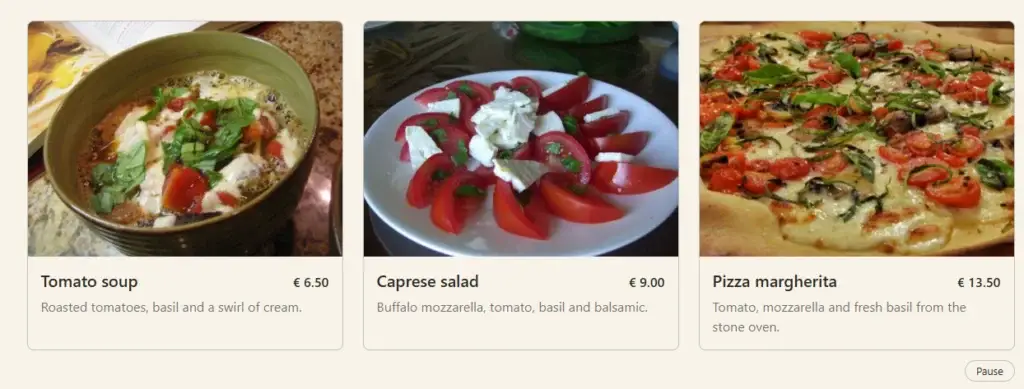
Skip to content
WXP Plugins

Plugins

WXP Restaurant Menu

WXP Opening Times

WXP Local Events

WXP Restaurant Reservations

Demo

Pricing

Support

Docs

FAQ

Buy

Menu

Plugins

- WXP Restaurant Menu

- WXP Opening Times

- WXP Local Events

- WXP Restaurant Reservations

Demo

Pricing

Support

- Docs

- FAQ

Buy

WXP Opening Times

8
  • Installation
    • Installing WXP Opening Times
  • Basic operations
    • Creating your (first) schedule
    • Setting exceptions
  • For developers
    • Filter- and action hooks
    • Twig templates
    • WXP Opening Times shortcodes
  • Jewish and Islamic holidays
    • Installation
      • Installing WXP Opening Times: Jewish and Islamic holidays
    • For developers
      • Jewish and Islamic holidays: for developers

WXP Restaurant Menu

22
  • Installation
    • Installing WXP Restaurant Menu
  • Basic operations
    • Understanding the concept
    • The Settings for the WXP Restaurant Menu Plugin
    • The Icon menu
    • The Sets Menu
    • The Tags Menu
    • The Groups Menu
    • The Categories menu
    • Adding the ‘Menu Items’ (Dishes)
  • Visual Elements
    • General info
      • The Restaurant Menu Element
      • Menu Selection Element
    • Shortcodes
      • WXP Restaurant Menu shortcodes
    • Elementor
      • WXP Plugins Elementor Widgets
      • Elementor Menu Page Widget
      • Elementor Menu Page Widget style settings
      • Elementor Menu Selection Element
    • WordPress Blocks
      • WXP Plugins WordPress Blocks
      • WordPress Restaurant Menu Block
      • Menu Selection Block
  • For developers
    • Filter- and action hooks
    • Twig templates
    • WXP Restaurant Menu shortcodes

WXP Local Events

18
  • Installation
    • Installing WXP Local Events
  • Basic operations
    • Understanding the concept
    • Settings for the WXP Local Events plugin
    • Categories
    • Events – The overview
  • Visual Elements
    • General info
      • The Events Calendar Element
      • The Event Registration Form Element
      • The Events Custom Post Type
    • Shortcodes
      • WXP Local Events shortcodes
    • Elementor
      • WXP Plugins Elementor Widgets
      • The Events Calendar Widget
  • For developers
    • Filter- and action hooks
    • Twig templates
    • WXP Local Events shortcodes
  • Add ons
    • Local Events for WooCommerce
      • Installation
        • Installing WXP Local Events for WooCommerce
      • For developers
        • Local Events for WooCommerce: for developers
    • Events Feed
      • Installation
        • Installing WXP Events Feed
      • For developers
        • Events Feed: for developers

WXP Restaurant Reservations

8
  • Installation
    • Installing WXP Restaurant Reservations
  • Basic operations
    • Understanding the concept
    • The settings for the WXP Restaurants Reservations plugin
  • For developers
    • Filter- and action hooks
    • Twig templates
    • WXP Restaurant Reservations shortcodes
  • Rooms
    • Installation
      • Installing WXP Restaurant Bookings: Rooms
    • For developers
      • Rooms: for developers

General Developer Information

1
  • Twig
    • Twig templates in the WXP plugins

WXP Agency Kit

1
  • WXP Agency Kit: demo content from the command line

Introduction

1
  • Documentation WXP Plugins
View Categories
  • Home
  • Documentation
  • WXP Restaurant Menu
  • Visual Elements
  • General info
  • Menu Selection Element

Menu Selection Element

2 min read

0:00 / 2:04

Show a selection of your menu on your other pages #

When you do not want to show your whole menu card, but just a few menu-items to wet people their appetite, the ‘Menu Selection’ offers you the possibility to show a section with a maximum of five menu items. Something you should not omit on the homepage, and maybe many other pages.

This is where the ‘Set’ comes in #

Earlier in the documentation I promised you to explain what’s the use of the ‘Sets’ option in the Admin menu of this plugin. It’s a set of menu-items we want to give some special attention. For example on the homepage.

Let’s first take a look what the ‘Selection Element’ looks like.
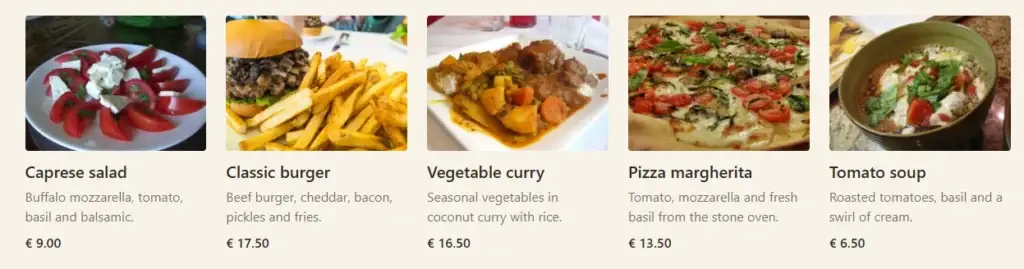
menu selection

It’s a row with menu-items to place on your page. The maximum number of items to show is five, but the number of times you can put in the list itself, is unlimited. There are two ways to decide which menu-items would be in that row.

The first way is to select the menu-items. The second way is to ‘preselect’ them by defining a set. And as we’ve seen before to define a menu-item as part of a set, we first have to define the set.

After the definition of the set we can link the set to the menu-item.

When I set the ‘Sets’ setting of the Menu Selection to the name of one of the sets, up to 5 items in the Set-list will be shown.

Presentation #

There are three presentation options for the menu selection:

Random choice #

When there are more menu-items in the list than in the show-count a random selection will be shown. Each time the page refreshes, there will be different items shown.

Carousel (up to 10) #

The 10 first menu-items on the list will be shown in a carousel. The number of images shown together is set too. So if I have 15 menu items, the first 10 on the list will be shown, but only with 3 at a time. It wil automatically move forward.

First dishes, in menu order #

As the title says.

Templates #

There are three different templates.

Default #
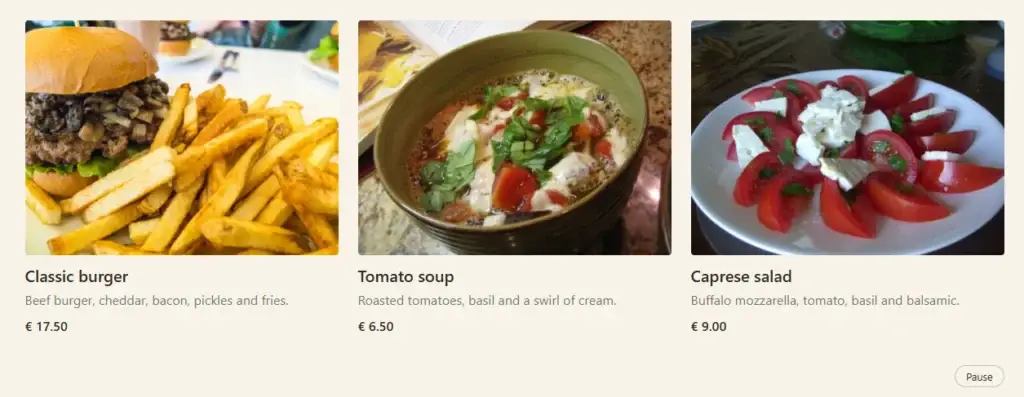
default selection

Cards #

xard selection

Text only #

text only selection

Updated on November 5, 2026

What are your Feelings

  • Happy
  • Normal
  • Sad

Share This Article :

  • Facebook
  • X
  • LinkedIn
  • Pinterest
The Restaurant Menu Element
Table of Contents
  • Show a selection of your menu on your other pages
    • This is where the 'Set' comes in
    • Presentation
      • Random choice
      • Carousel (up to 10)
      • First dishes, in menu order
  • Templates
    • Default
    • Cards
    • Text only
WXP Plugins

Demo

Pricing

Affiliates

© 2026 WXP Plugins. All prices are in euro, excluding VAT.

WXPPlugins is a brand of WP Digital Marketing - The Netherlands - Chamber of Commerce (KvK) 75580152