
Entering Basic Data #
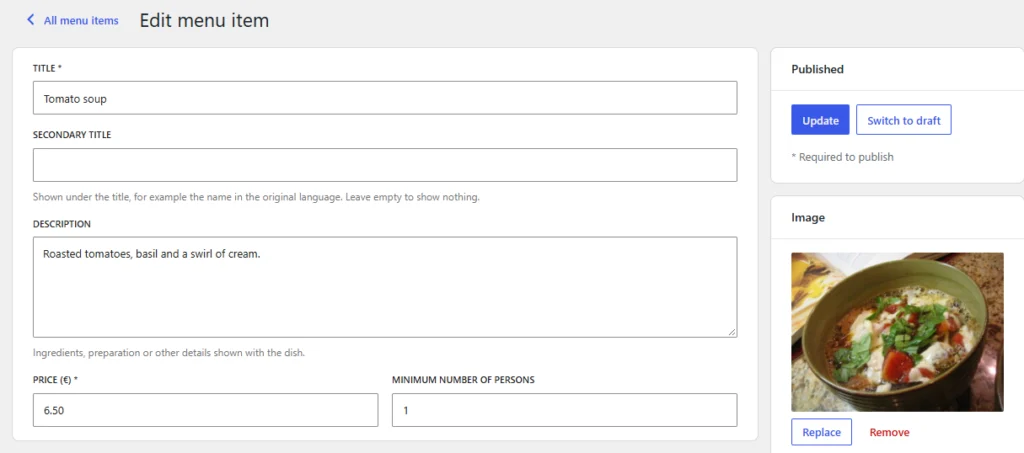
The page for menu items is a rather large page, so we look at it in sections. In the first section you add the most basic data for the menu items.
- Title – The primary title for the menu item.
- Secondary title – With foreign dishes you might want to give the menu item both a title in the original language of the food, and the language spoken in the country where the restaurant is situated. So you can choose for -for example ‘Tomato Soup’ as the main title, with as a subtitle -when it would be for example a Greek restaurant- Ντοματόσουπα (domatósoepa)
- Description – The description of the menu item
- Price – The Price
- Minimum number of persons – Some dishes are only served when there is a minimum number of people in the company. Default 1 is suggested, but when a dish is only served when there are 2 people or more, you could enter here 2.
- Image – Image to be shown on the menu. When there is no image, only the text will be shown.
Category, groups and tags #
The next section is the section to set Category, groups and tags. Only Categories are required, the other labels are not.
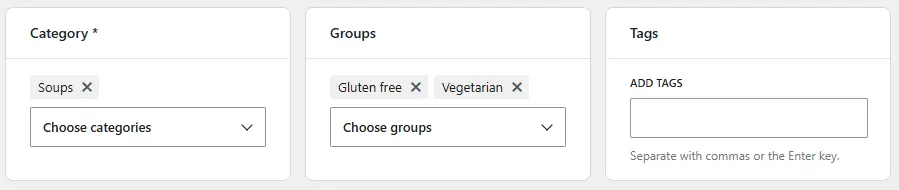
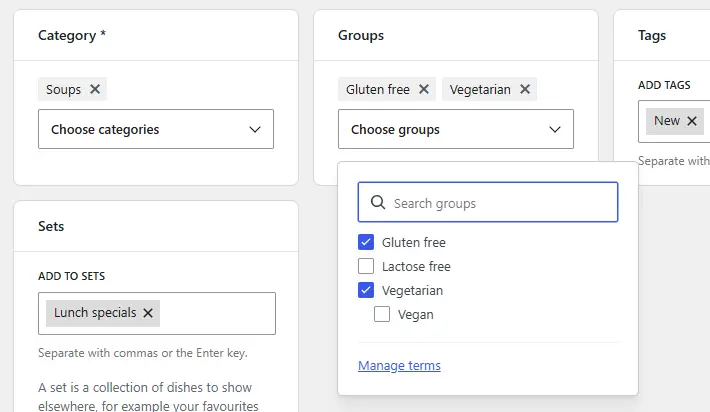
You can select one or more of each labels from each type.
When the list is very long, you can use the search function to filter the results
Sets #
How to use sets will be discussed later in the documentation. How to assign them is quite easy
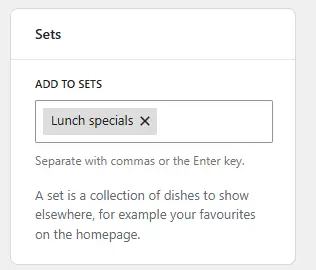
Just click in the field, the list appears and make your selection. If there are no sets yet, you most likely still have to add sets.
Availability and Sort order #
Temporary not available #
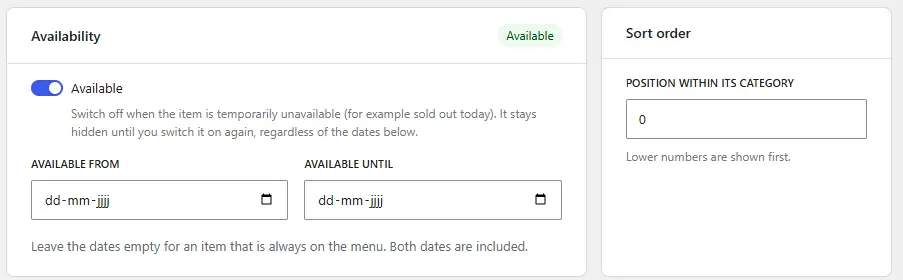
When a menu item temporary isn’t available, you can remove it from the menu by unchecking the ‘Available’ switch’ which will hide the menu item from the menu.
Seasonal products #
When you enter a start- and end date (Available from – Available until) the menu-item only will be on the menu for that specific period. So you can offer seasonal products without having to update your website all the time.
Please note that if ‘Available’ is set to ‘on’ and the date is not within the range it’s available, it’s still not visible. The ‘Available’ batch in the right top of the card shows the actual availability for the current day.
Sort order #
The sort order inidicates the position of a menu item within the (sub-)category on the menu.


