
WXP Local Events
Fill your evenings with events people reserve for.
An event calendar with reservations for a restaurant, pub, theatre or community centre. Guests pick a date and reserve a place.

Features
From the calendar to the guest's inbox
Everything from showing an event to confirming a place.
Events with everything on it
Date, start and end time, teaser, description, picture and categories, with an optional colour for the calendar.
Recurring events
Daily, weekly on chosen days, or monthly such as 'the 4th Friday'. Cancel or move a single date. The dates are calculated, no copies are made.
Reservations with limits
A capacity per date, a maximum number of tickets, an age limit and optional approval by the venue.
Calendar and list views
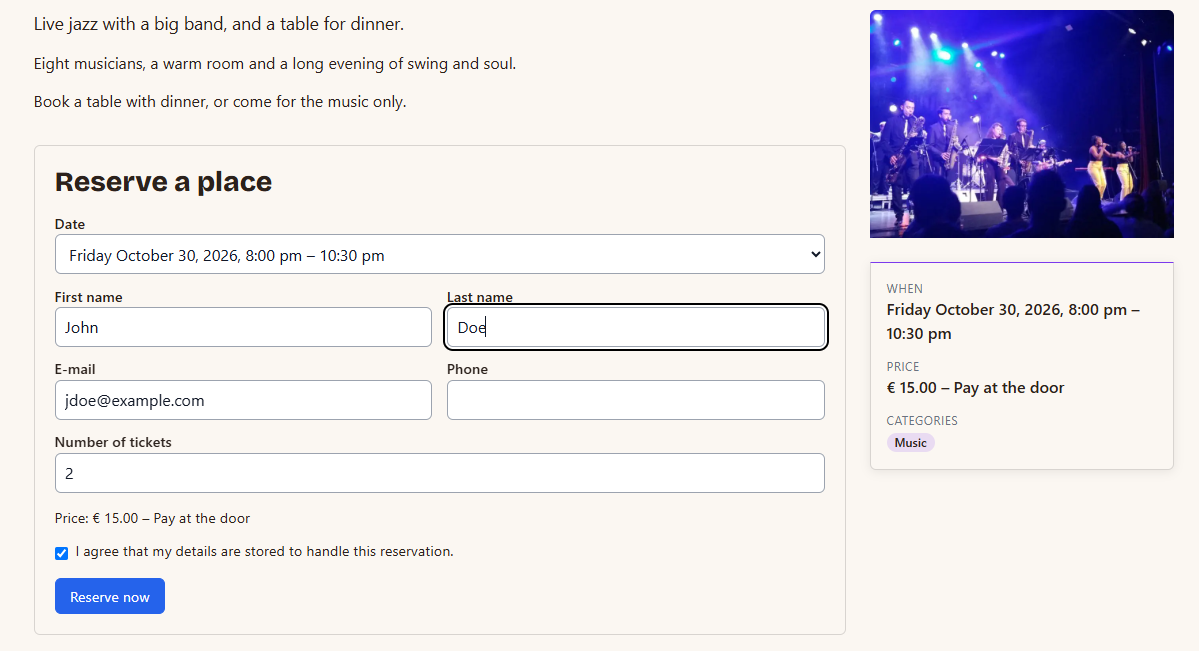
A month grid or a list, with a pop-up per event and a form with a dropdown of the coming dates.
E-mails and easy cancelling
Confirmation, waiting, rejection, cancellation and reminder e-mails. Guests cancel with a link until the time you set.
Four layouts for the event page
Standard, picture on top, a card beside the text, or compact. Choose one in the settings or per event.
Add-on
Take payments for your events
Add WXP Local Events for WooCommerce to let guests pay for tickets online. Buy it together with the plugin for a small extra charge, or get it with a bundle.
Demo
Open an event and change its layout
The demo has 24 events over the next six months. Open one and switch between the four layouts.
Open the events demoPricing
Choose your plan
WXP Local Events is licensed per year, per plugin. Prices are in euro, excluding VAT.
Entrepreneur
€ 99
per year, excl. VAT
✓ Up to 3 sites
✓ Premium support
✓ First response within 1 working day
Designer
€ 199
per year, excl. VAT
✓ Up to 10 sites
✓ Premium support
✓ First response within 1 working day
FAQ
Questions and answers
What venue owners ask about events.
Start taking reservations for your events
Pick a plan, add your first event and put the calendar on a page.