
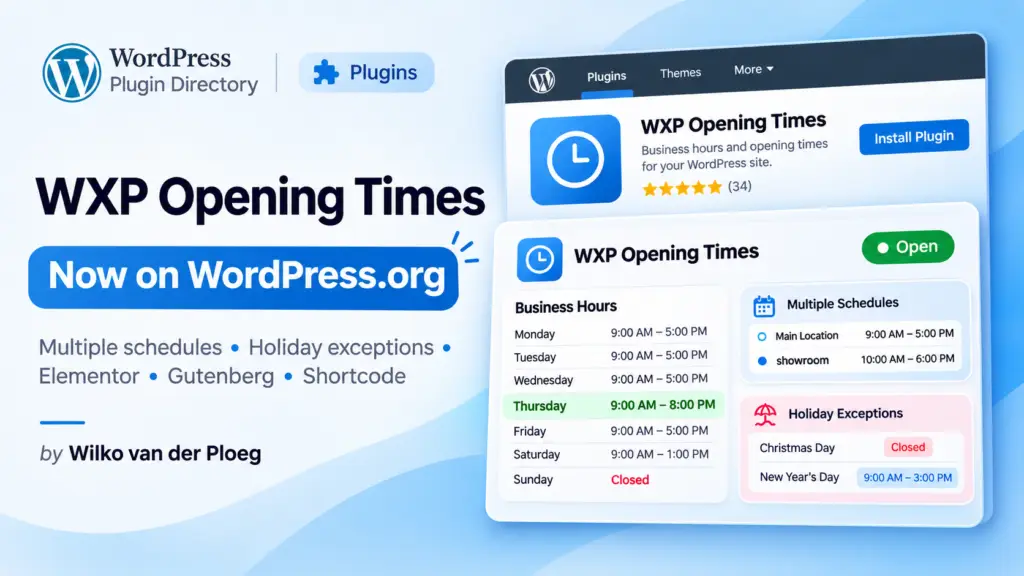
WXP Opening Times Is Now Available on WordPress.org!
We’re pleased to announce that WXP Opening Times has officially been released in the WordPress Plugin Directory. The plugin is free to download and can be installed directly from your WordPress dashboard.
Keeping your business hours up to date shouldn’t require editing your website every time your schedule changes. Whether you operate a restaurant, retail store, medical practice, or any other business with regular opening hours, WXP Opening Times makes managing and displaying those hours much easier.
More Than Just Opening Hours
WXP Opening Times was developed to handle situations where a simple list of business hours isn’t enough.
For example, a restaurant might have different hours for its dining room, kitchen, and takeout service. A retail store might close for lunch, while a seasonal business could operate on an entirely different schedule during the summer.
WXP Opening Times handles these situations without requiring you to manually update your website.
Key Features
- Multiple schedules: Create separate opening schedules for different locations, departments, or services.
- Flexible daily hours: Configure up to three opening periods per day, including lunch breaks or other temporary closures.
- Seasonal schedules: Automatically apply different opening hours during specified periods.
- Holiday exceptions: Configure special hours or closures for holidays, including automatically calculated recurring holidays.
- Live Open/Closed status: Show visitors whether your business is currently open. The status updates automatically, even while visitors remain on the page.
- Week navigation: Let visitors check opening hours for upcoming weeks.
- Customizable display: Choose between a weekly schedule or a compact presentation, with customizable labels and styling.
- Structured data: Optionally generate Schema.org JSON-LD data to help search engines understand your opening hours.
Works with Elementor, Gutenberg, and Shortcodes
You can display opening hours using whichever WordPress editing method you prefer.
For Elementor users, WXP Opening Times provides a dedicated widget with styling controls for typography, colors, and other visual elements.
The WordPress block editor includes a Gutenberg block with a live preview, while the shortcode [wxp_opening_times] offers a convenient option for classic editors, page builders, and custom layouts.
Developers can also customize the output using Twig template overrides, filters, and helper functions.
Free, Open Source, and Independent
WXP Opening Times is a free, open-source WordPress plugin. It works independently and doesn’t require any other WXP plugins.
However, it can also be used alongside other plugins in the WXP family, such as WXP Restaurant Menu, to add complementary functionality to a business website.
With the official WordPress.org release, installation and future updates are handled through the standard WordPress plugin management system.
Get Started Today
Installing WXP Opening Times is simple:
- Open your WordPress dashboard.
- Navigate to Plugins → Add New Plugin.
- Search for WXP Opening Times.
- Click Install Now, then Activate.
- Open the Opening times settings page and configure your schedules.
Once configured, add your opening hours to any page using the Elementor widget, Gutenberg block, or shortcode.